Domain Inventory In and Out
Stock In (NamesLink → 365.hk)
-
Register an account at www.365.hk
-
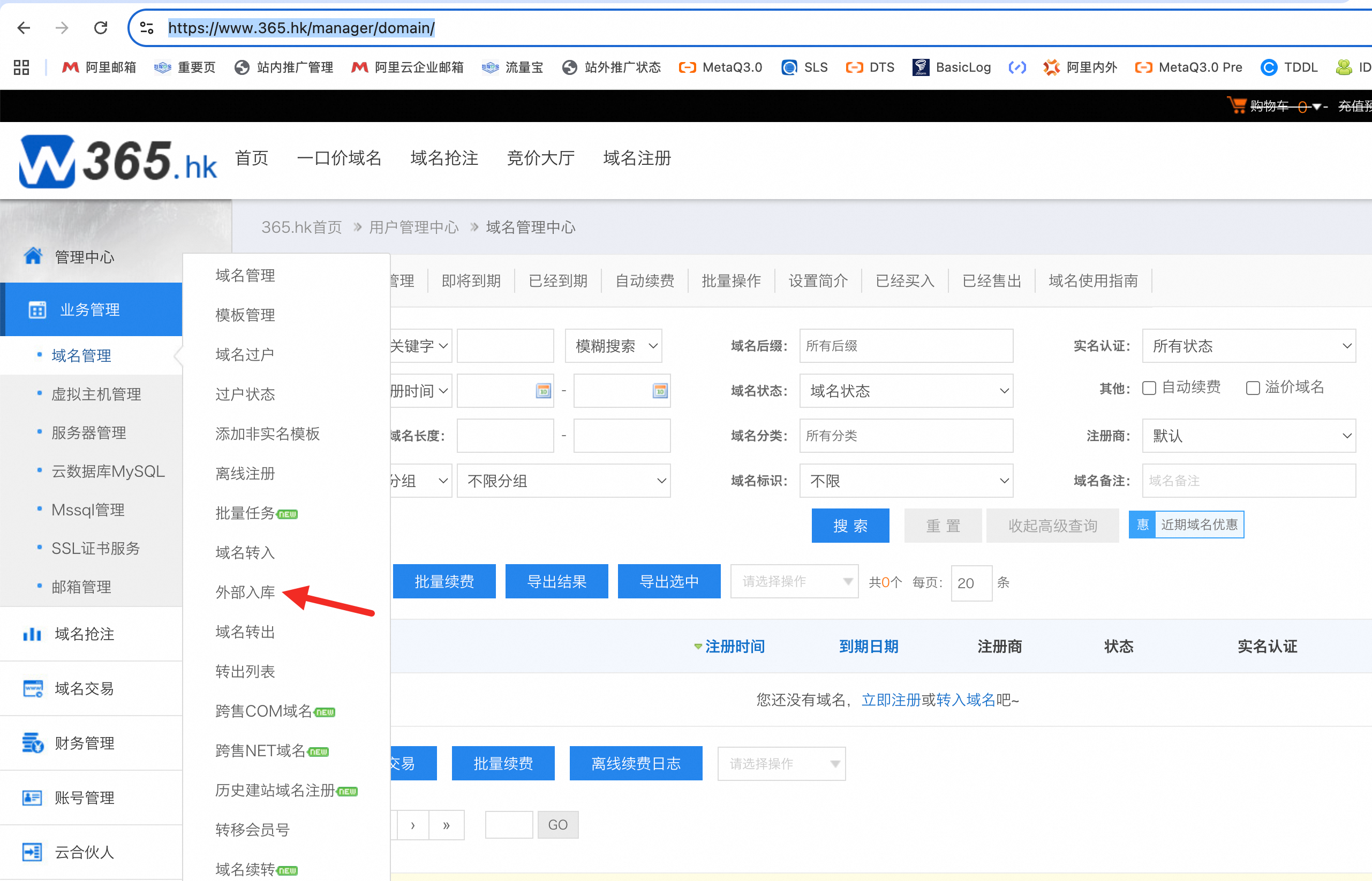
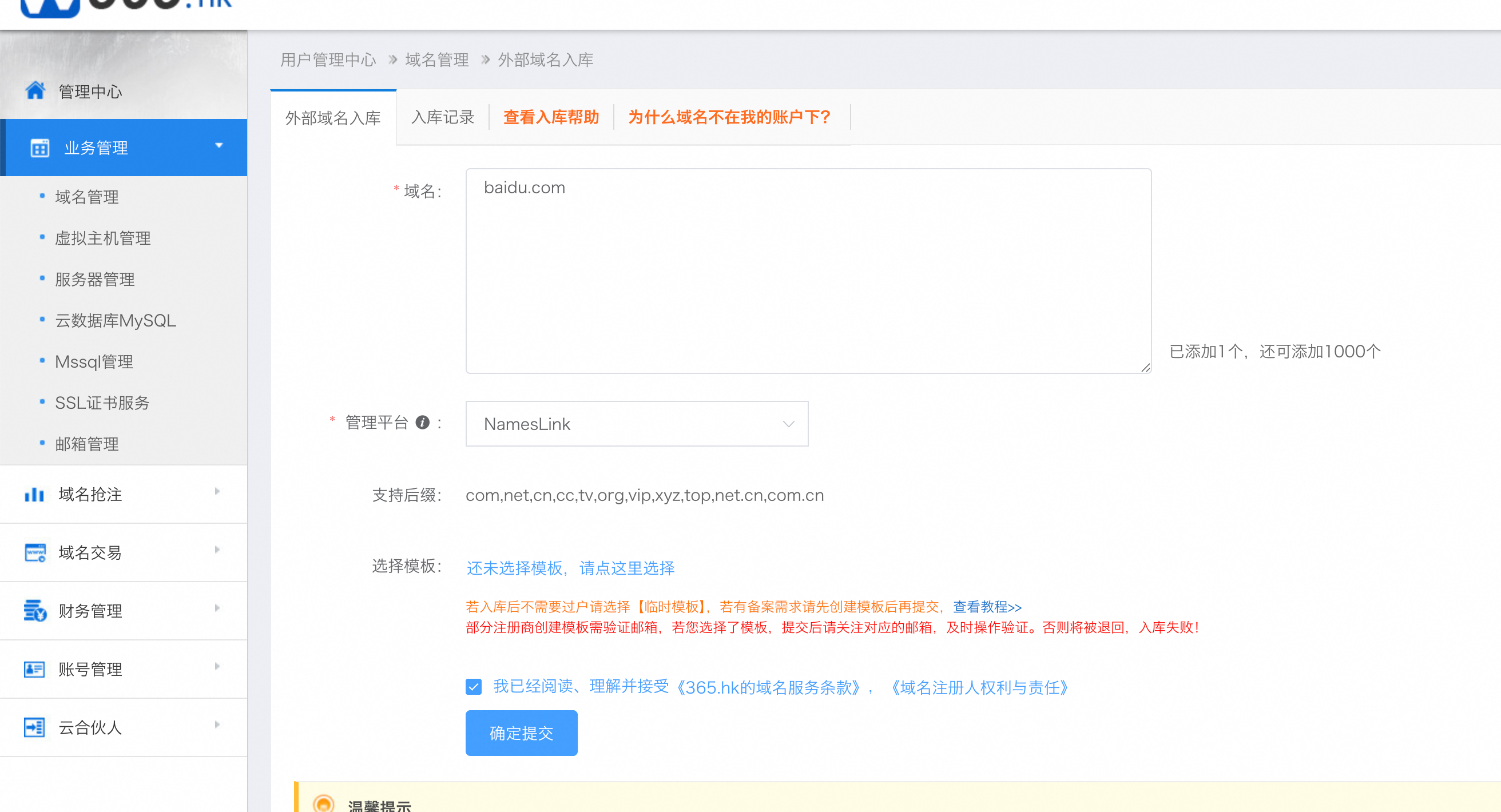
Submit the domain stock-in request and select the NamesLink platform
-
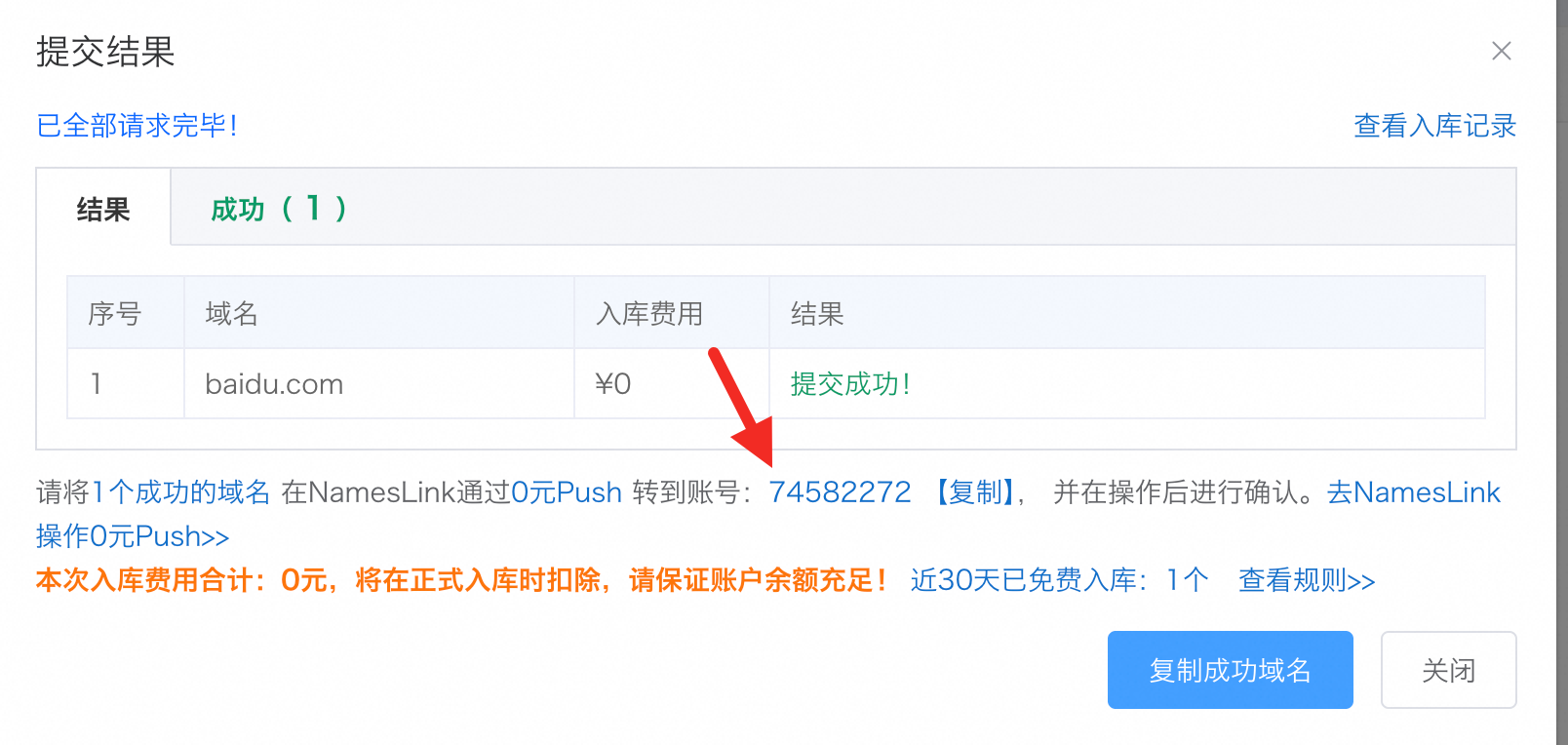
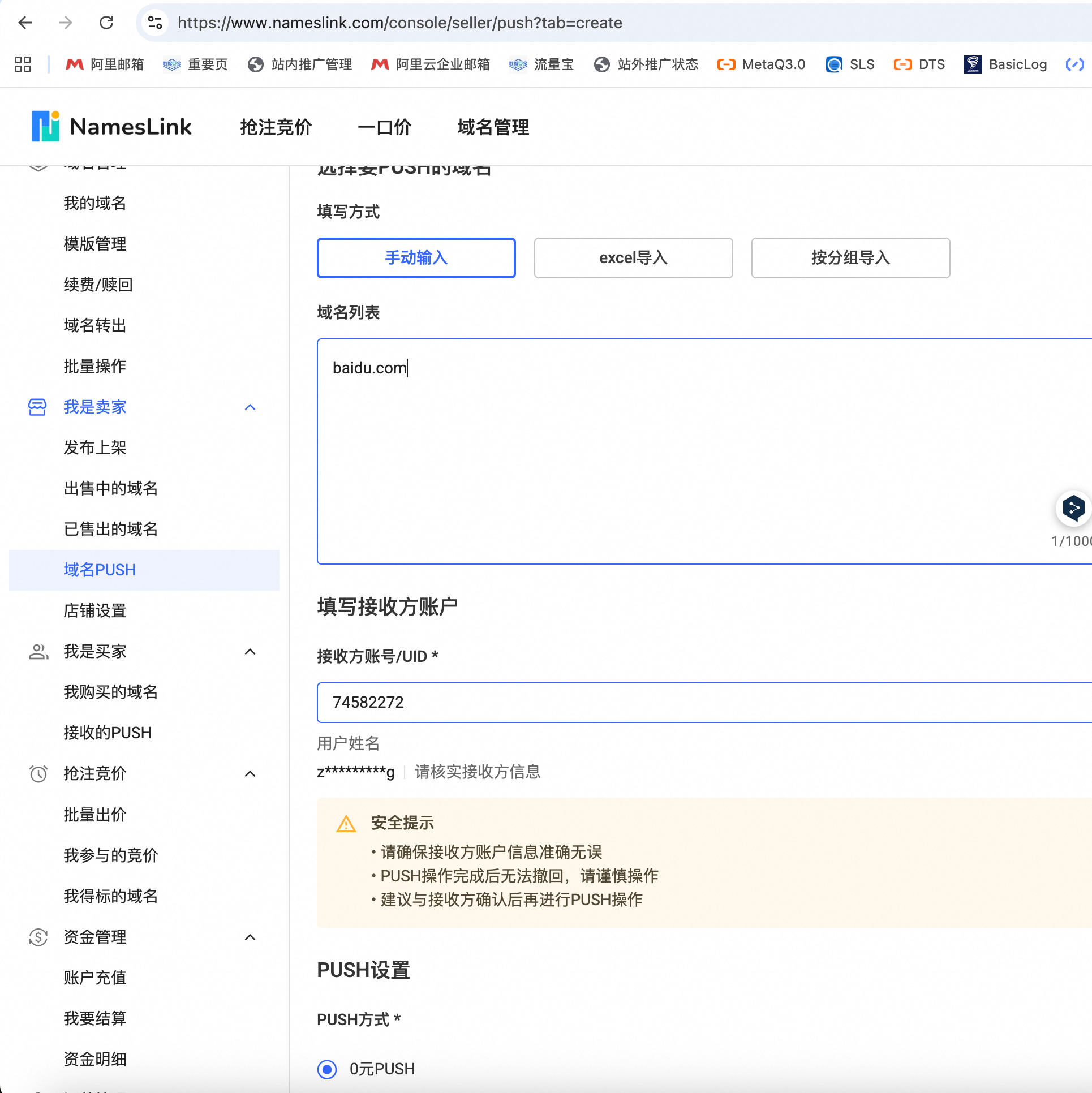
Go to NamesLink and initiate a Push to the designated account
-
365.hk will receive the Push, and the domain will then appear under your 365.hk account
Stock Out (365.hk → NamesLink)
-
Select the domain and submit a transfer back with your NamesLink account. 365.hk will call the NamesLink Push API to push the domain back to your account
-
Go to https://www.365.hk/paas/grab/domain-other-push/add
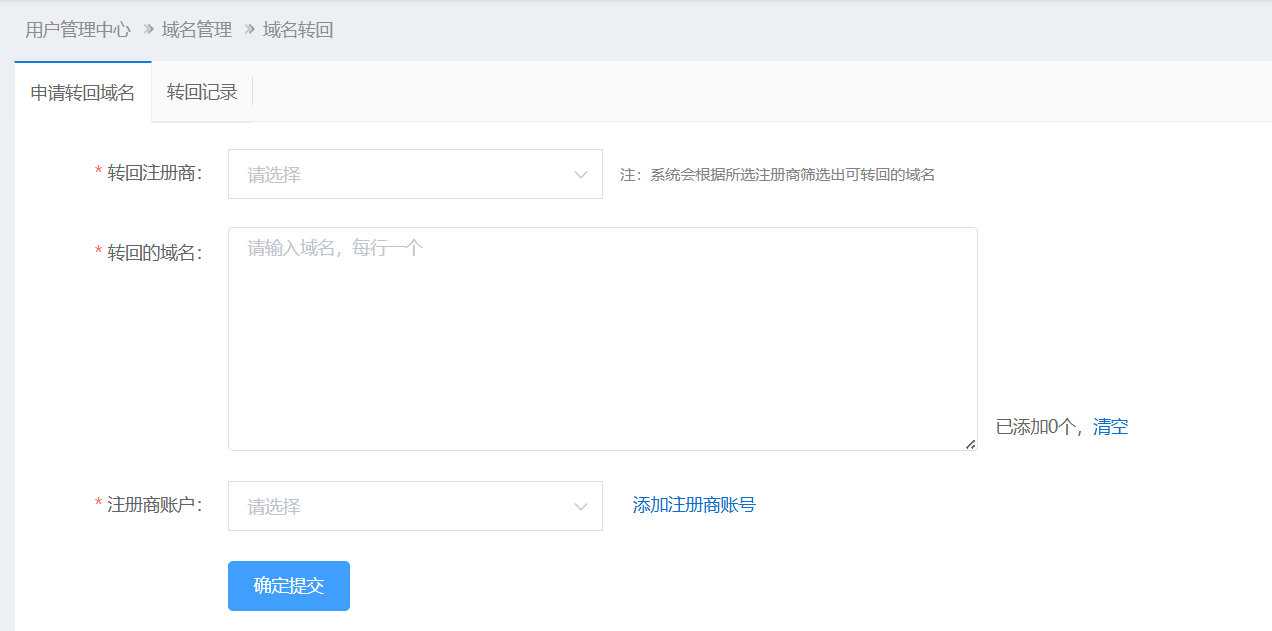
-
Accept the Push in NamesLink

After the Push is accepted, the domain will disappear from the 365.hk platform.